
Keiki Learning games for Kids
Benipol LimitedEducational
4.62.28K Reviews
- Version
- 11.0.1
- Installs
- 5.00M
- Age Rating
- Everyone
Screenshots

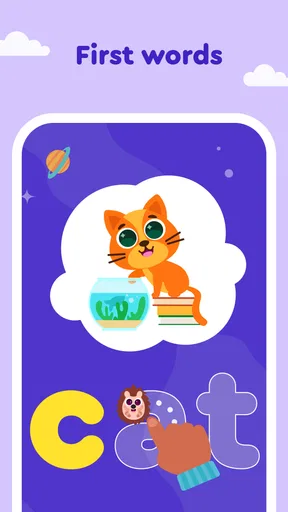
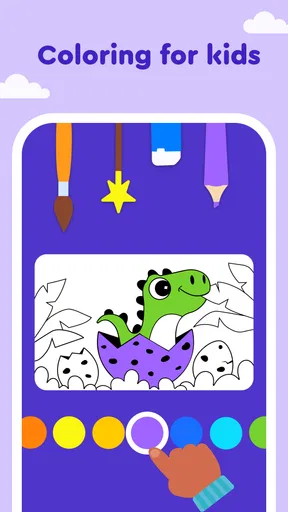
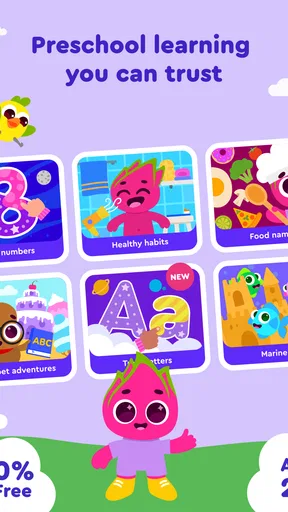
Our Review of Keiki Learning games for Kids
 Analysis by Appyee
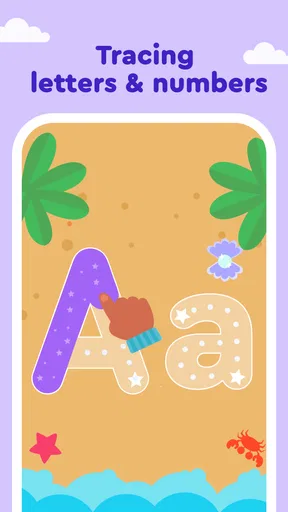
Choosing a learning game for a young child is less about finding the biggest pile of activities and more about matching the app to the way your child actually plays. I’d look for something a preschooler can approach without constant adult help, with activities short enough to fit into an ordinary day and a clear learning purpose behind the play. Keiki Learning Games for Kids is aimed at that early-learning space: Benipol Limited makes this free educational game for young children, with math and letter-learning among its central themes.
That focus makes it most useful as a playful extra, not as a replacement for reading together, hands-on toys, or a child’s regular lessons. The game is rated for Everyone, and its audience is clearly families looking for early activities rather than older children seeking complex challenges. I’d treat the screen time as a shared opportunity: let your child try an activity independently, then ask them to explain what they noticed or connect it to something nearby.
Start with the child, not the activity count
Before downloading, think about what your child needs from a learning game. A child who enjoys recognizing letters may be happy to revisit them in short bursts, while a child who is still building confidence with numbers may benefit more from patient, repeatable practice. The useful question is not whether an app claims to cover every skill; it is whether your child will stay curious long enough to engage without turning practice into a battle.
I’d also consider how much guidance you want to give. Some preschoolers can tap through a familiar activity alone, while others need an adult nearby to read instructions, explain a task, or help them take a break. No app can make every young child self-sufficient, so it helps to decide in advance whether you’re looking for a quiet independent activity or something you’ll do side by side.
Where Keiki fits into an ordinary day
A practical use is a brief learning break while dinner is finishing or while you’re waiting for an appointment. I would choose one small goal—such as looking for a letter the child recognizes—rather than handing over a device with the expectation that an app will teach everything at once. That gives the child a reason to pay attention and gives you an easy way to end the session before screen time drifts on.
For a more social routine, sit together and let the child make the choices. If they spot a familiar symbol or solve a small challenge, ask how they worked it out instead of immediately moving to the next activity. This turns a digital game into a prompt for conversation, and it also helps you see whether the child is understanding the task or simply tapping quickly.
Compare the format with other learning choices
Keiki makes sense if you want an app-based option that brings early math and letter practice into a child-friendly game setting. Compared with a single-purpose alphabet or counting app, a broader learning game can be a convenient place to explore more than one kind of early activity. The trade-off is that a child who wants to focus on one narrow skill may find a dedicated practice tool easier to keep on track.
It also serves a different purpose from physical puzzles, picture books, and drawing supplies. A screen-based activity can be handy when you need a compact option away from home, but it does not replace the tactile feedback of fitting pieces together, turning pages, or making marks with crayons. I’d use Keiki alongside those offline choices, not as the only learning material in the house.
Families comparing children’s apps often ask whether a young child can use one without help, whether activities suit a particular learning stage, and whether the app is a good fit for travel or short waits. My practical answer is to try it while you are nearby first. Watch how your child responds to the instructions and pace, then decide whether it works as an independent distraction or is better as a shared activity. That first supervised session is more useful than guessing from a category label.
What to check before settling in
A first session can tell you more than a long list of promised benefits. Notice whether your child can understand what to do, whether they stay engaged without becoming frustrated, and whether the activity invites them to think rather than just tap. If your child is tired, a task that normally feels easy may suddenly be too much; stopping on a positive note is often better than pushing through.
It is also worth checking the app’s current setup on the device your child will use, especially before relying on it away from home. The game’s current version is 10.0.1, and it requires Android 9 or later on Android devices. Keep the device’s operating system in mind when deciding whether it can run comfortably, and let an adult handle installation and any account or purchase prompts rather than leaving those decisions to a child.
Who may prefer another route
If you want a structured teaching course, detailed classroom reporting, or a tool built around one specific learning need, I would compare options designed expressly for that purpose. A game can make practice inviting, but it is not a diagnosis, a tutor, or a substitute for an educator’s guidance. Children who lose interest in screens quickly may also get more from a story, a counting game with household objects, or a short activity with a caregiver.
Cost deserves a little attention too. The game is free to download, but it includes in-app purchases, with individual items ranging from $3.99 to $69.99. I would check the available purchase choices with an adult before a child starts exploring, and decide what spending limit feels reasonable for your household. Its average rating is 4.5 from around 69,000 ratings, with about 1,300 written reviews and over one million installs; those figures suggest a substantial audience, but they cannot tell you whether the activities suit your particular child.
Fun Meets Learning
First off, let’s talk about how Keiki Learning Games for Kids seamlessly blends fun with learning. You know how tricky it can be to keep kids entertained while also sneaking in some educational content, right? Well, Keiki nails it! The app is jam-packed with vibrant games designed to stimulate young minds. It's like having a digital playroom that’s also a classroom.
Engaging Games and Activities
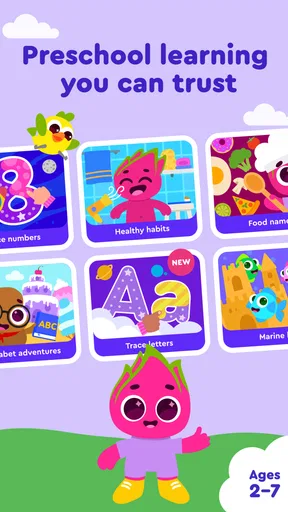
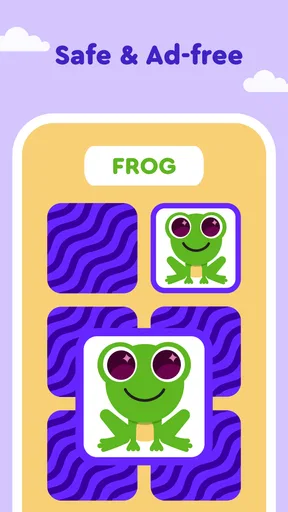
The app features a wide variety of activities tailored for kids aged 2 to 6. From puzzles and matching games to drawing and coloring, there's something for every child’s taste. My kiddo particularly loves the animal matching game—who knew learning about wildlife could be this much fun?
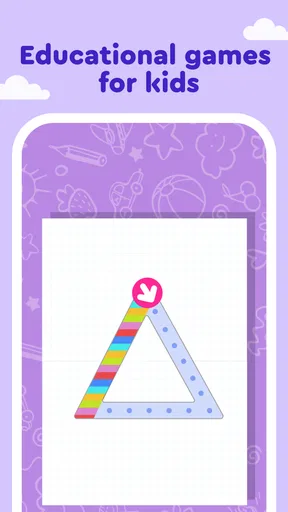
Each game is designed to help develop crucial skills like problem-solving, critical thinking, and creativity. The interface is super intuitive, meaning even the little ones can navigate it with ease. Plus, the bright colors and cheerful animations are a hit with the kids!
Safe and Kid-Friendly
One of my major concerns with children's apps is safety, and I’m happy to report that Keiki really puts parents’ minds at ease. There are no ads interrupting playtime, and the content is completely kid-friendly. Parental control features are available to customize the experience, ensuring that kids only access appropriate content.
Another thing I appreciate is that the app doesn’t require kids to be connected to the internet after the initial download of games. This is a blessing during car rides or when Wi-Fi is spotty.
Learning Progress Tracker
Keiki also includes a progress tracker, which is a fantastic feature. It allows you to monitor your child’s development and see which areas they're excelling in or might need a little extra practice. It’s like having a mini report card without the stress of grades!
Subscription Options
Now, let’s chat about the elephant in the room—subscription costs. Keiki offers a free trial, which I highly recommend taking advantage of. After that, there are various subscription options to choose from, whether you want to go monthly or annually. In my opinion, the cost is justified given the quality and breadth of content available.
While some might find the subscription fee a bit steep, consider it an investment in your child’s early education. Plus, when you weigh it against the cost of traditional educational toys, it really doesn’t seem so bad.
Final Thoughts
Overall, Keiki Learning Games for Kids offers a delightful mix of entertainment and education. It’s an app that doesn’t just keep kids busy but actively contributes to their learning journey. The safety measures, combined with the fun, engaging content, make it a standout choice for parents looking to enrich their child’s screen time.
If you’re keen on giving your kids a head start while ensuring they have a blast, I’d say Keiki is definitely worth a download. You can find it on both the Android and iOS app stores. Give it a whirl and watch your kids learn and laugh!
Making a first session useful
I would start with a short, supervised visit rather than opening the app and leaving a preschooler to explore indefinitely. Let your child choose an activity, then notice whether the directions make sense to them and whether they can recover when they get something wrong. That gives you a fairer picture of fit than judging by bright visuals alone. If they need help, offer a hint rather than taking over; the small pause can reveal whether they are learning the pattern or relying on adult answers.
A useful routine is to connect one in-app moment to something away from the screen. If a child has been working with letters, look for one on a book cover or a familiar sign together. If the activity involves counting, count a few objects at snack time. This does not require turning every play session into a lesson. It simply gives the child a chance to use the idea in a different setting, which is a better test of understanding than repeating a tap sequence.
Travel, waiting, and offline expectations
For a car ride or a waiting room, the game can be a convenient option once the activities you intend to use have been downloaded. I would prepare before leaving, check that the relevant content opens as expected, and bring another quiet option as a backup. Offline access is helpful when a connection is unreliable, but it does not mean every setup task can be postponed until you are already out the door.
There is a small but meaningful trade-off here: a device can make an activity readily available, yet it can also make it harder to notice when a child has had enough. I prefer setting a clear stopping point before handing over the device—for example, finishing the current activity and then putting it away. That keeps the game from becoming the default response to every quiet moment and makes it easier to preserve time for conversation and play that does not involve a screen.
What the purchase choice means in practice
Because the game is free to install but offers paid items, I would treat the first download as a chance to inspect the experience, not as a promise that every activity will be included at no cost. Before a child plays, an adult should review the purchase options and make sure device-level purchase protections are set in a way that suits the family. This is especially useful when a young child can navigate menus confidently but cannot yet understand what a purchase means.
I would also judge value by actual repeat use, not by the amount of content that appears available. If your child returns willingly, stays engaged, and you can use the game in a sensible routine, a paid option may feel worthwhile to your household. If the child only opens it once or needs an adult to guide every tap, there is little reason to commit further. A free download lowers the barrier to trying it, but it does not remove the need to decide whether it earns a place in your family’s routine.
How to tell whether it is the right fit
Look for signs of thoughtful engagement: your child pauses to choose, retries after a mistake, or talks about what they are doing. Those are more useful signals than simply staying on the screen for a long time. If they become impatient, repeatedly guess, or ask you to do the activity for them, try a shorter session or switch to a hands-on alternative. The aim is not to make every interaction educational; it is to find a format that leaves the child feeling capable and curious.
Keiki is best suited to families who want an approachable digital companion for early learning and are comfortable setting boundaries around screen use and purchases. It is less suitable if you need a formal curriculum, a single-skill tool with a tightly defined sequence, or a fully offline activity from the moment of installation. For those needs, a book, a physical game, or a more specialized learning resource may be the better choice.
My recommendation
My recommendation is to try Keiki as one part of a balanced preschool routine, with an adult nearby at first and a clear end to each session. Its playful approach can make early practice feel less like a worksheet, and the variety described in the app gives families room to see what captures a child’s interest. I would not rely on it to teach a skill on its own, but I can see it being useful for a short, purposeful break at home or while travelling.
In short, download it if your child enjoys interactive activities and you want a flexible way to bring early learning onto a phone or tablet. Take a pass if you are seeking a structured teaching program, do not want in-app purchase choices, or would rather keep learning entirely hands-on. The deciding factor is simple: after trying it together, does your child seem engaged and confident, and can you fit it into your day without letting the screen take over? If yes, Keiki is worth keeping in the rotation.
Privacy and Permissions
See what permissions an app requests and how it handles your data.
- Photos/Media/Files
- read the contents of your USB storage, modify or delete the contents of your USB storage
- Storage
- read the contents of your USB storage, modify or delete the contents of your USB storage
- Other
- view network connections, full network access, control vibration, prevent device from sleeping
Verdict
Strengths of Keiki Learning games for Kids
- Engaging educational content for kids.
- Colorful graphics that attract children.
- Interactive games enhance learning.
- User-friendly interface for easy navigation.
- Regular updates with new content.
Limitations of Keiki Learning games for Kids
- Limited free content; requires subscription.
- May require parental guidance for setup.
- Some games might be too easy for older kids.
- In-app ads can interrupt gameplay.
- Requires consistent internet connection.
Similar Picks in This Category
View All
Little Panda Policeman
BabyBus4.0

Monster Trucks Game for Kids 2
Raz Games4.1

Little Panda's Chinese Recipes
BabyBus4.4

Little Panda's Restaurant
BabyBus4.4

Little Panda's Ice Cream Games
BabyBus4.3

Baby Panda Care
BabyBus3.8
Frequently Asked Questions
What age group is Keiki Learning Games for Kids suitable for?
Keiki Learning Games for Kids is designed for children aged 2 to 8 years old. The app offers a variety of games and activities tailored to different developmental stages, ensuring that the content is both age-appropriate and engaging for young learners.
Is Keiki Learning Games for Kids safe for my child to use?
Yes, Keiki Learning Games for Kids prioritizes child safety. The app is free from ads and in-app purchases, preventing accidental clicks. Additionally, it adheres to strict privacy standards, ensuring that your child's data is protected and not shared with third parties.
What educational benefits does Keiki Learning Games for Kids offer?
Keiki Learning Games for Kids provides a comprehensive educational experience, covering subjects like math, reading, and science. The app uses interactive games and puzzles to develop critical thinking, problem-solving skills, and creativity, making learning fun and effective for young minds.
Can Keiki Learning Games for Kids be used offline?
Yes, many features of Keiki Learning Games for Kids can be accessed offline once they are downloaded. This makes it convenient for use during travel or in areas with limited internet connectivity, ensuring continuous learning opportunities for your child.
How can I track my child's progress on Keiki Learning Games for Kids?
Keiki Learning Games for Kids includes a progress tracking feature for parents. This allows you to monitor your child's achievements, areas of improvement, and the time spent on different activities, helping you understand their learning journey and tailor their educational experience.
Play our best games!


